How to delete device
Go to the GPS Tracking section (top menu item on the website).
Select the horizontal menu item “Manage trackers”.
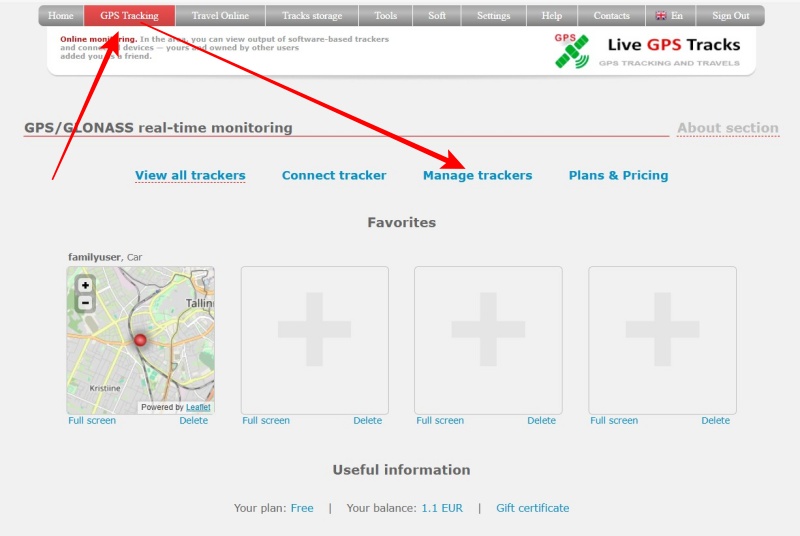
You will be redirected to the tracker management page.
Each connected tracker has a ‘Remove the device’ option.
Click on it and confirm the deletion.
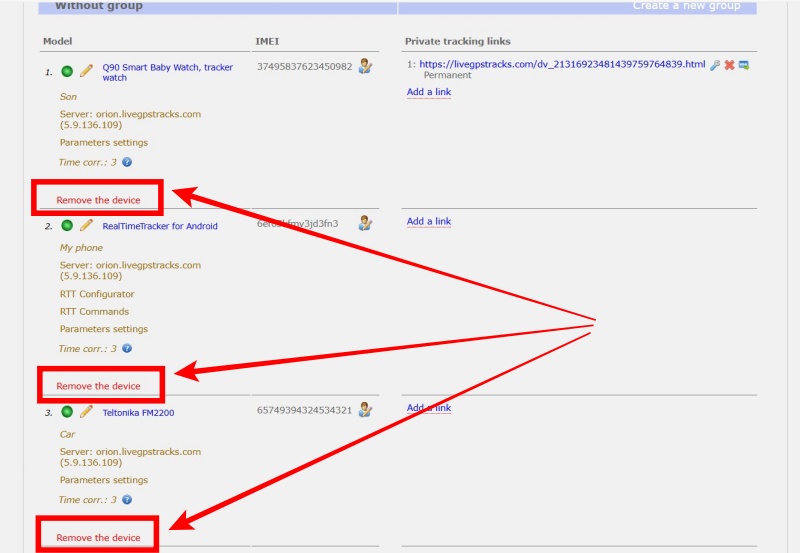
When you delete it, all the data sent by the tracker will be permanently deleted, as well as all the geofences and alerts you've set up.